> For the complete documentation index, see [llms.txt](https://docs.momofin.com/momofin-api/llms.txt). Markdown versions of documentation pages are available by appending `.md` to page URLs; this page is available as [Markdown](https://docs.momofin.com/momofin-api/quickstart/getting-started.md).
# Getting Started
Momofin API gives you the ability to integrate eSignature into your applications, websites, CRM, or cloud services. It allows you to create templates, create documents from templates.
Follow these steps to start using Momofin API:
* Register for an account
* Setting your subdomain
* Retrieve access token
Next, let’s look at the step-by-step process of how to send your first eSignature request using the Momofin API.
## Register for an account
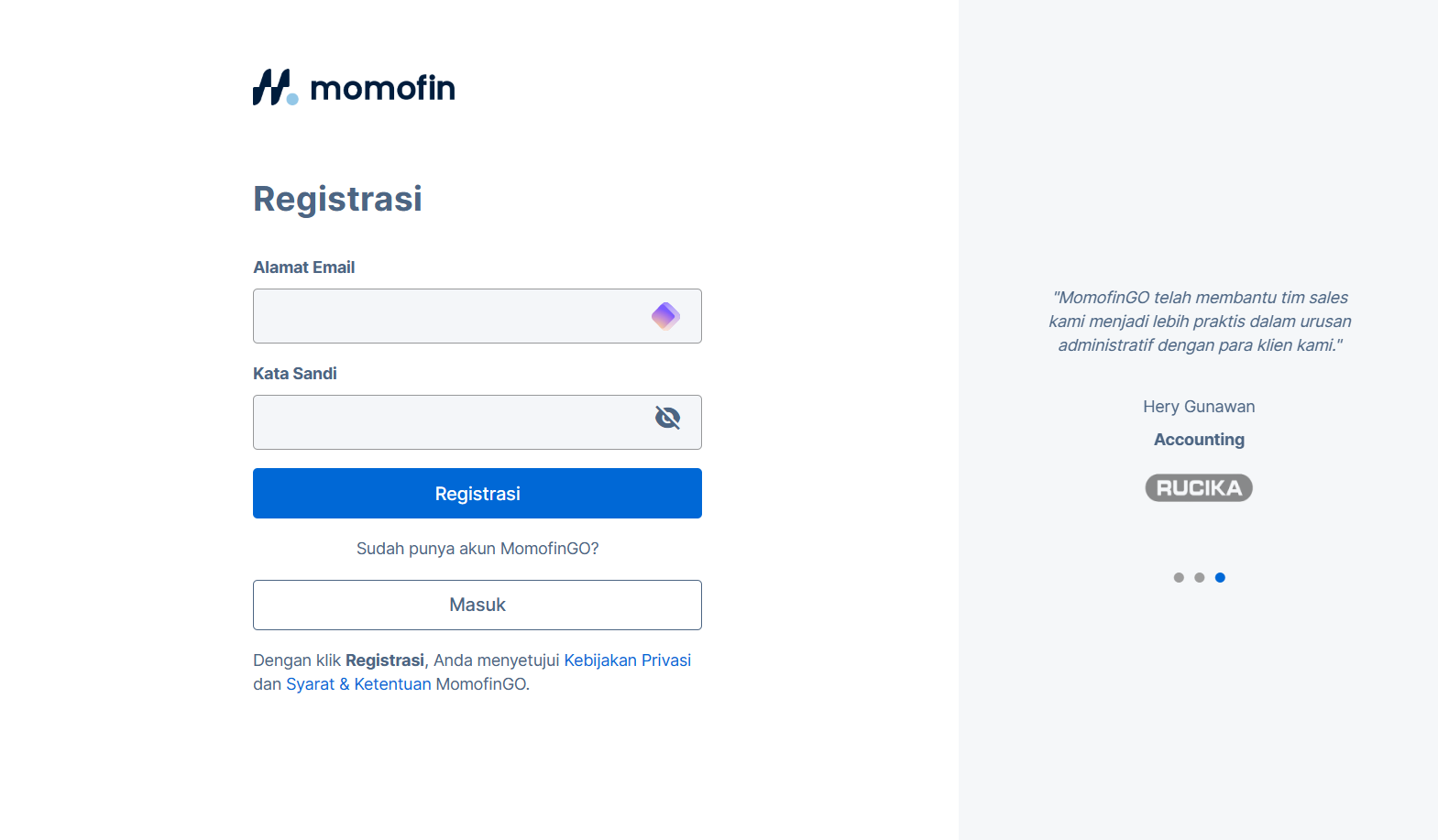
To register an account, visit the registration page [here](https://app.momofin.com/). Enter your email address and password on the Momofin developer page, then click the **Registrasi** button. You are then required to validate your email by clicking the email link sent by Momofin.
Register your account here
## Retrieve your subdomain
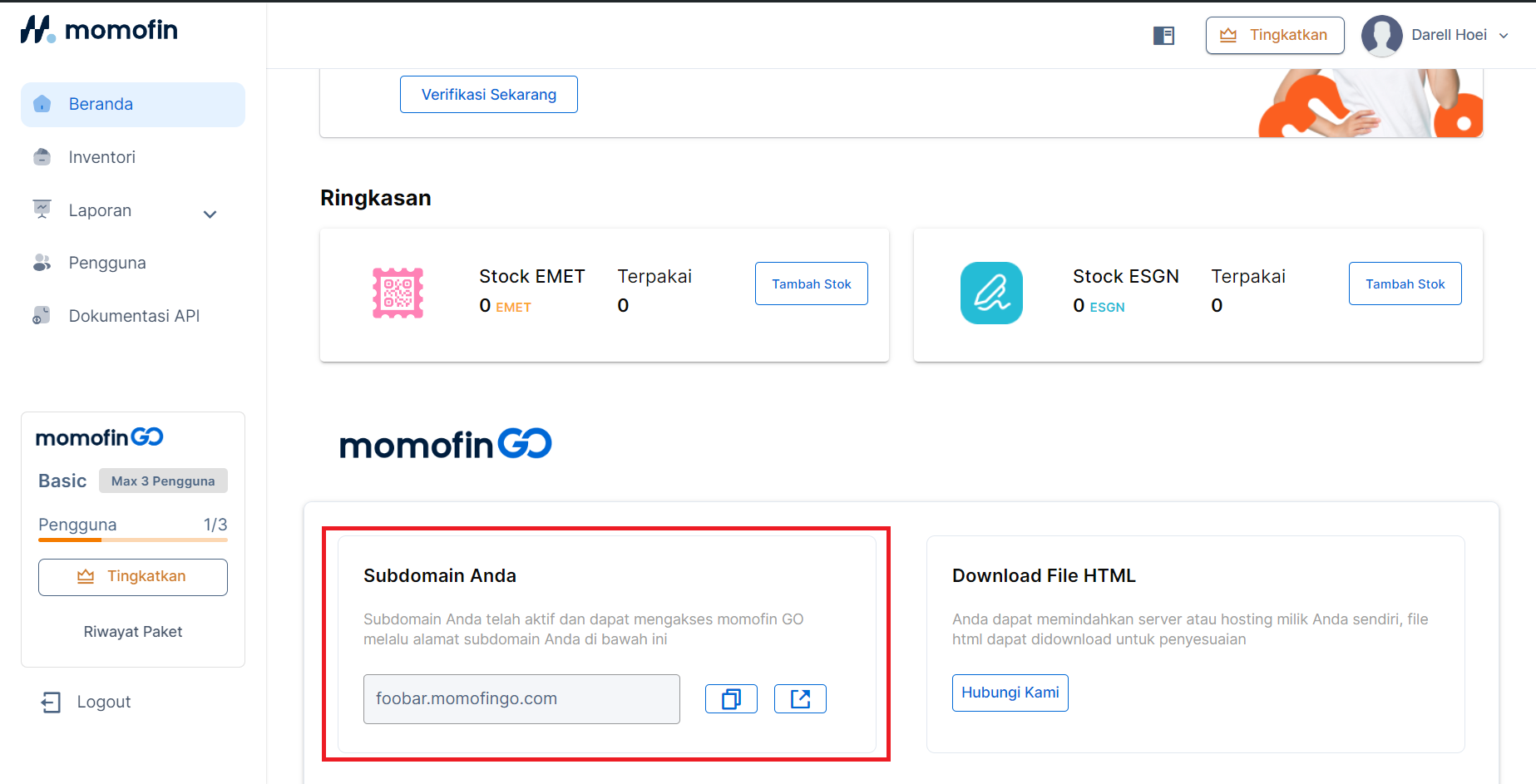
Get your subdomain from the dashboard. Copy this value for use later when retrieving the access token.
## Base URL
The base URL for interacting with the Momofin API depends on your development stage:
* **Development Environment:** Utilize throughout development and testing phases. This isolated environment allows you to experiment with the API functionality without impacting the production system.
* **Production Environment:** Once your application is ready for deployment, use[ https://api-v1.momofin.com](#base-url) to interact with the live Momofin platform. This ensures seamless integration with real-world data and processes.
## Retrieve access token
Access token can be obtained by calling the Generate Token API. This token must be obtained before using our API. Prepare your credentials (email and password) for use with the API. You can try to retrieve the access token by pasting this to the terminal:
```bash
curl --location 'https://api-v1.momofin.com/v1/auth/login' \
--header 'Origin: $ORGANIZATION_SUBDOMAIN' \
--header 'Content-Type: application/json' \
--data '{
"email": "$LOGIN_EMAIL",
"password": "$LOGIN_PASSWORD",
"remember": true
}'
```
This request queries the Login API, which in turn returns the access token for the given user. You should receive a response back that resembles the following:
```json
{
"code": 200,
"success": true,
"data": {
"token": "eyJhbGciOiJIUzI1N...",
"refresh_token": "375f...",
"account": {
"fullname": "John Doe",
"email": "john.doe@momofin.com",
"business_id": "6e5d...",
"is_reset": false
},
"activation": {
"status": "uncomplete",
"data": {
"business_info": false,
"business_detail": false,
"personal_info": false,
"business_documents": false,
"email_verification": true
}
}
}
}
```
The access token can be retrieved by accessing the `data.token` payload from the response. This access token will be used on every request to Momofin platform.
You can view the detailed API documentation of retrieving the access token below:
{% content-ref url="/pages/131XdTjykzFF77huvh7T" %}
[Generate access token](/momofin-api/reference/api-reference/auth/generate-access-token.md)
{% endcontent-ref %}
Now, you're ready to use Momofin API Platform.